CENSOR·THIS

Censor This app icon

Hide what
shouldn't be seen.

Blur or pixelate anything you don't want seen, in photos and video. Faces, documents, license plates. Gone in seconds, before you share.

psst — tap the blur

iPhone · iPad · Apple Vision

Download on the App Store

What it does

Photos and video.One app.

📸

Censor Photos

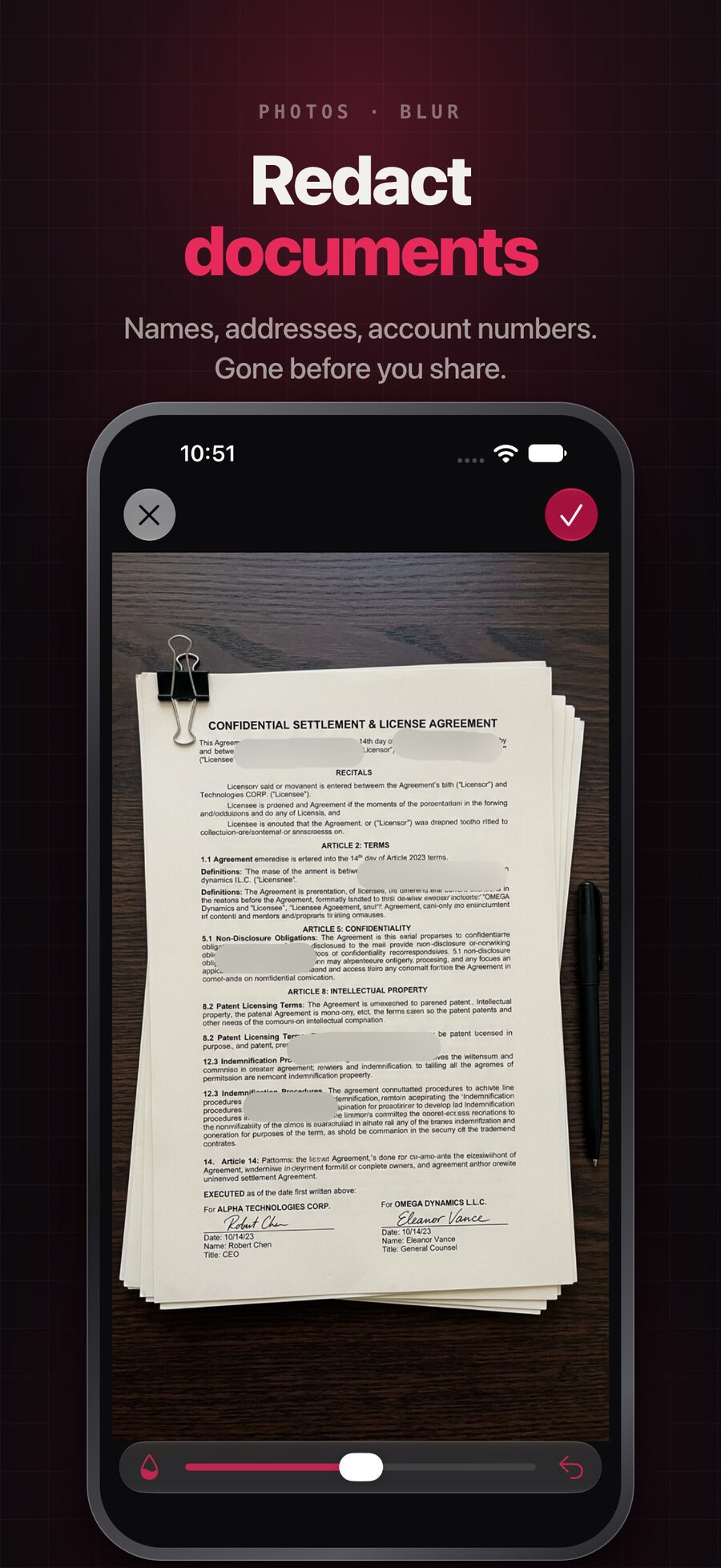
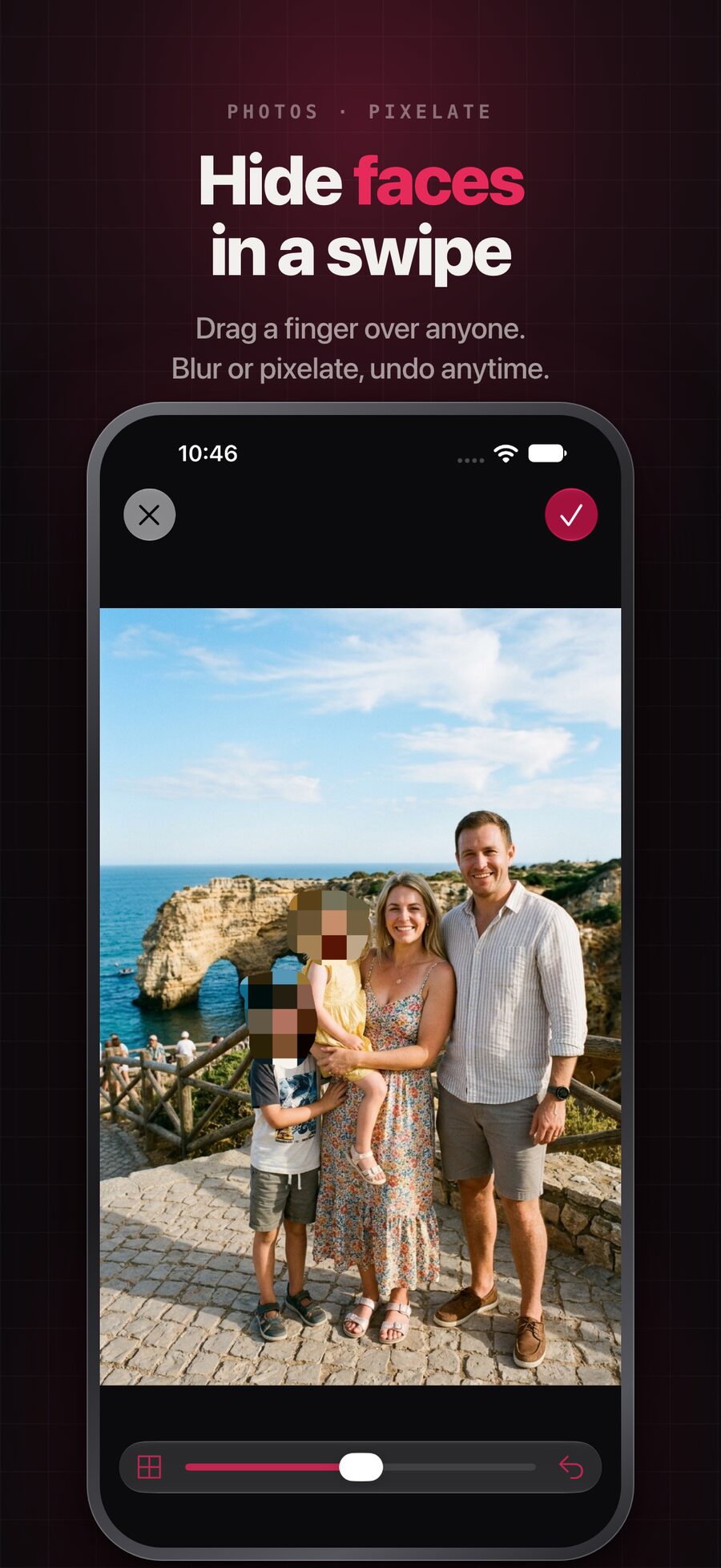
Swipe over any area with your finger to blur or pixelate it. Works on screenshots, documents, IDs, chats, and faces.

🎥

Censor Video

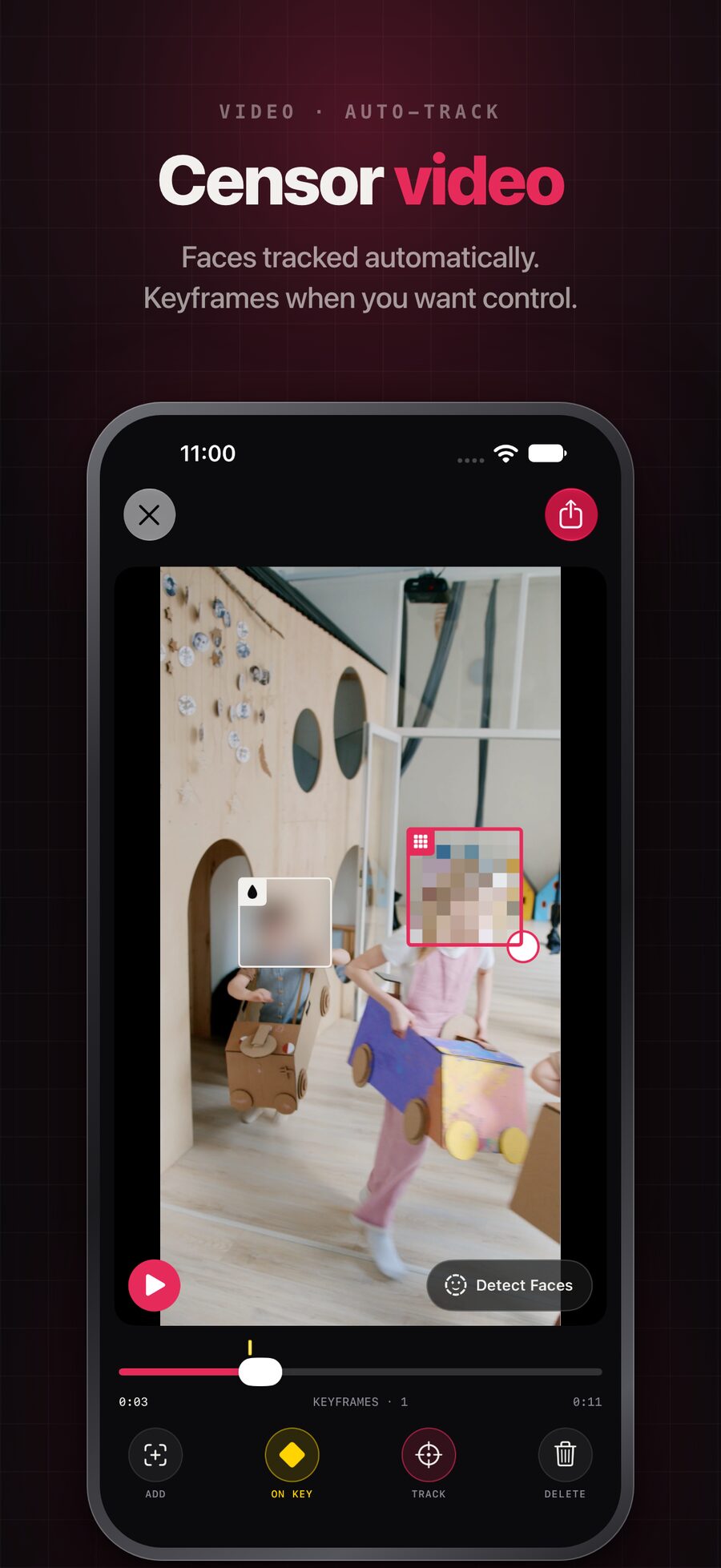
Draw a box over what you want hidden and Censor This follows it automatically as it moves through the frame.

😶

Detect Faces

Tap once to blur everyone in the frame. Need more control? Add keyframes and fine-tune by hand, frame by frame.

🎨

Blur or Pixelate

Two censoring styles with adjustable brush size and strength. Zoom and pan for precision, and undo anything.

🔒

Originals Stay Untouched

Edits are never written over the original. Nothing you censor can leak back into your camera roll by accident.

🗃

Private Library

Every censored photo and video is kept in a library inside the app, so you can re-share it any time without redoing the work.

In action

Redact anythingin seconds

Hide faces in a swipe: pixelating the faces in a family photo Censor video: faces tracked automatically, with keyframes for control Redact documents: names, addresses, and account numbers blurred out of a contract

How it works

A screenshot with an address or account number. A group photo where someone didn't want to be posted. A video with a face, a license plate, or a street sign. Censor This hides it in seconds, before you share.

Just blur or pixelate anything you don't want seen. It's that simple.

One purchase. No subscription.

Photo censoring is free. A single one-time purchase unlocks everything: video export, watermark-free photos, and no ads. Forever.